创建一个Node.js项目
打开文件管理器,在你想要的索引位置上新建一个文件夹,文件夹的名称即是项目名
用Visual Studio Code打开这个文件夹,并在终端执行

没有特定要求一直回车即可,也可参考其他Node.js项目教程
安装所需依赖
安装http-proxy-middleware
1
| npm install http-proxy-middleware
|
导入代码
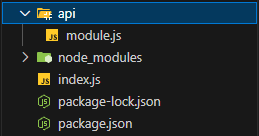
- 新建一个index.js,为主要执行程序
- 新建一个api文件夹,并在api文件下新建module.js。用于不走代理时执行自定义代码
index.js
1
2
3
4
5
6
7
8
9
10
11
12
13
14
15
16
17
18
19
20
21
22
23
24
25
26
27
28
29
30
31
32
33
34
35
36
37
38
39
40
41
42
43
44
45
46
47
48
49
50
51
52
53
54
55
56
57
58
59
60
61
62
63
64
65
66
67
68
69
70
71
72
73
74
75
76
77
78
79
80
81
82
83
84
85
86
87
88
89
90
91
92
93
94
95
| const http = require('http');
const { createProxyMiddleware } = require('http-proxy-middleware');
const printStr = require('./api/module');
const fs = require('fs');
const newProxy = createProxyMiddleware({
target: 'https://www.baidu.com',
changeOrigin: true,
pathRewrite: {
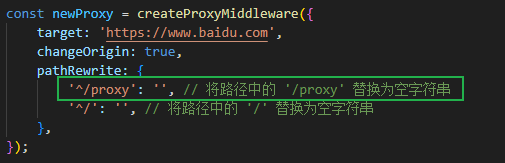
'^/proxy': '',
'^/': '',
},
});
const server = http.createServer((req, res) => {
const clientIp = req.socket.remoteAddress;
if (req.url.startsWith('/noproxy')) {
if (req.method === 'POST') {
let body = '';
req.on('data', (chunk) => {
body += chunk.toString();
});
req.on('end', () => {
const postData = JSON.parse(body);
const { domain } = postData;
if (domain) {
const jsonData = printStr(domain);
res.writeHead(200, { 'Content-Type': 'application/json' });
res.end(JSON.stringify(jsonData));
} else {
const jsonData = {
success: true,
message: "参数不完整",
code: 200,
timestamp: Math.round(new Date())
};
res.writeHead(200, { 'Content-Type': 'application/json' });
res.end(JSON.stringify(jsonData));
}
});
} else {
const jsonData = {
success: true,
message: "GET方式请求",
code: 200,
timestamp: Math.round(new Date())
};
res.writeHead(200, { 'Content-Type': 'application/json' });
res.end(JSON.stringify(jsonData));
}
} else if (req.url.startsWith('/proxy')) {
newProxy(req, res);
} else {
sendPage('./page/404.html', res);
}
});
function getClientIp(req) {
const xForwardedFor = req.headers['x-forwarded-for'];
if (xForwardedFor) {
const ipList = xForwardedFor.split(',');
return ipList[ipList.length - 1].trim();
}
return req.connection.remoteAddress;
}
function sendPage(pagePath, res) {
fs.readFile(pagePath, (err, data) => {
if (err) {
res.writeHead(404);
res.end("404 Not Found");
} else {
res.writeHead(200, { 'Content-Type': 'text/html; charset=utf-8' });
res.end(data);
}
});
}
const port = process.env.PORT || 3000;
server.listen(port, () => {
console.log(`Proxy server running on port ${port}`);
});
|
module.js
1
2
3
4
5
6
7
8
9
10
| function printStr(domain) {
return {
success: true,
message: domain,
code: 200,
timestamp: Math.round(new Date())
};
}
module.exports = printStr;
|
目录结构
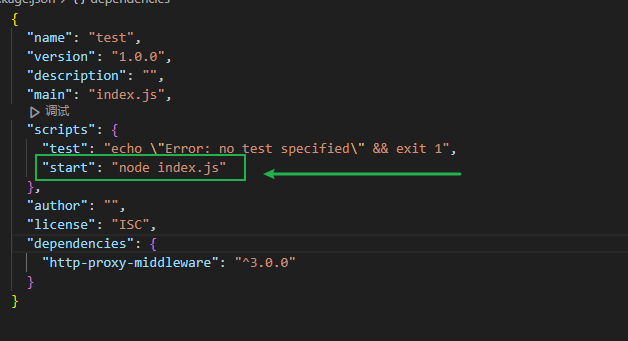
添加启动程序执行命令
在package.json文件中的scripts对象中添加start属性
1
| "start": "node index.js"
|
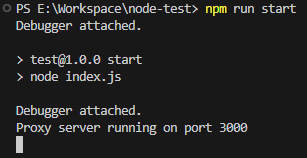
运行
终端输入
测试效果
访问http://localhost:3000/proxy代理至百度
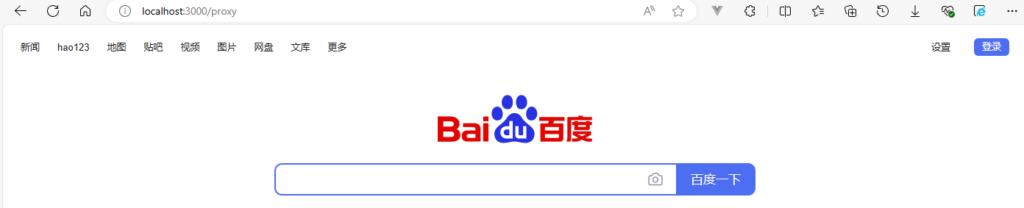
搜索时要在域名后添加要添加/proxy路径,用来检测是否使用代理,代码中会把/proxy替换为空字符串
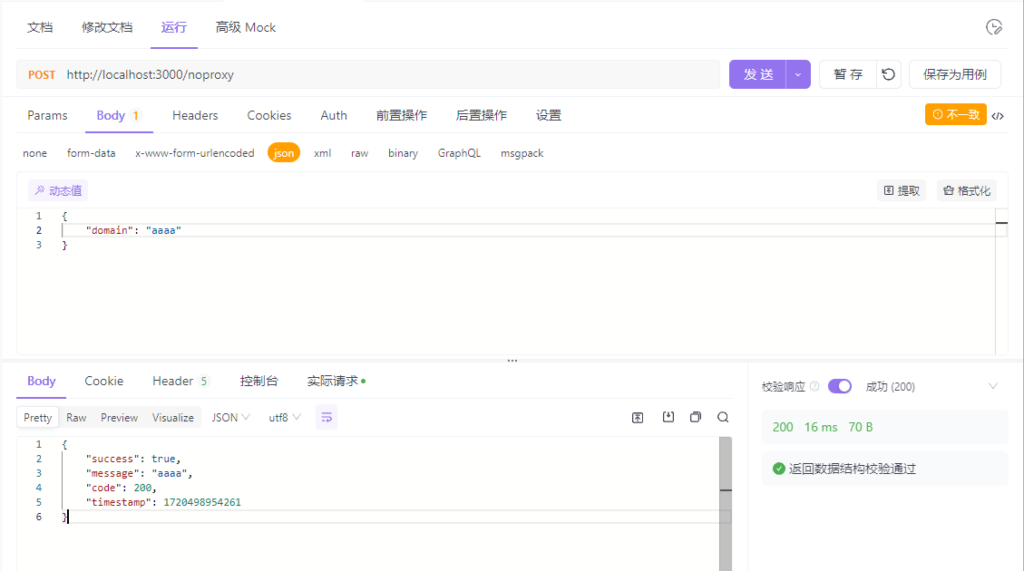
使用post访问http://localhost:3000/noproxy,并传递json对象
GET方式访问http://localhost:3000/noproxy